Web Application
Designing for K9 Scent Games at PowerHouse
Project description
Our client, a leading technology company, aimed to revolutionize scheduling processes worldwide by introducing the world's first AI-powered scheduling app.
Problem
The world of dog sports, particularly scent-based competitions, lacks a comprehensive and user-friendly web application that caters to the needs of both participants and event organisers. Current processes for registration, payment, event search, competition entry, score tracking, and certificate generation are often manual, time-consuming, and prone to errors. This creates inefficiencies, frustrations, and barriers to participation within the dog sport community. There is a clear need for a centralized platform that streamlines these processes, enhances accessibility, and promotes engagement among enthusiasts.
Goal
To develop a user-friendly web app for scent-based dog sports, streamlining registration, payment, event search, competition entry, score tracking, and certificate generation.
My Role
Research, Low-fidelity, high-fidelity, and mobile-responsive screens in collaboration with another designer.
Duration
Initial designs (low-fi and high-fi) took a month and a half. Iterations based on feedback took 3-4 months.
About
K9 Scent Games is a US-based company that specializes in providing unique scent-based training services for dogs. These training services are not only fun and engaging for the dogs, but also beneficial in enhancing their natural scenting abilities. The company achieves this by organizing a variety of competitions, often referred to as trials, which are offered at numerous skill levels, from beginner to advanced. Upon successful completion of these trials, K9 Scent Games further acknowledges the dogs' skills and progress by bestowing upon them official certifications.
Competitive Analysis
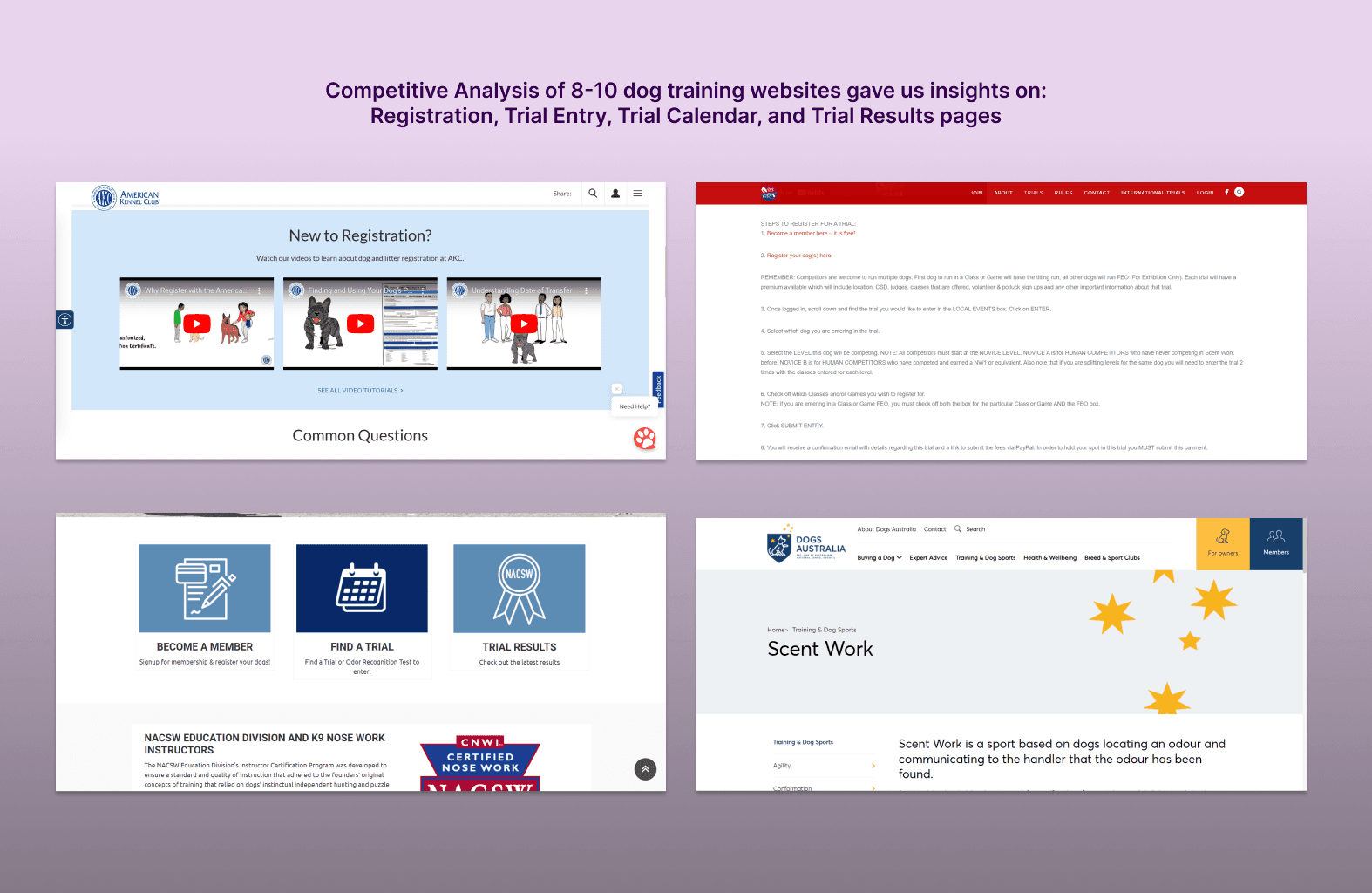
After the discovery calls with the client, I kickstarted our UX design process with extensive competitive analysis. Competitive analysis of other websites revealed opportunities for streamlining processes online, such as the registration and onboarding experience. Competitive analysis insights revealed weaknesses such as:
Registration process was complicated with downloadable forms and PIN numbers to enter.
The complicated registration process required for the applications to explain the process through lengthy text or videos.
Even if registration process and trial entry was completely online, there was no mechanism to track a dog’s past performance.
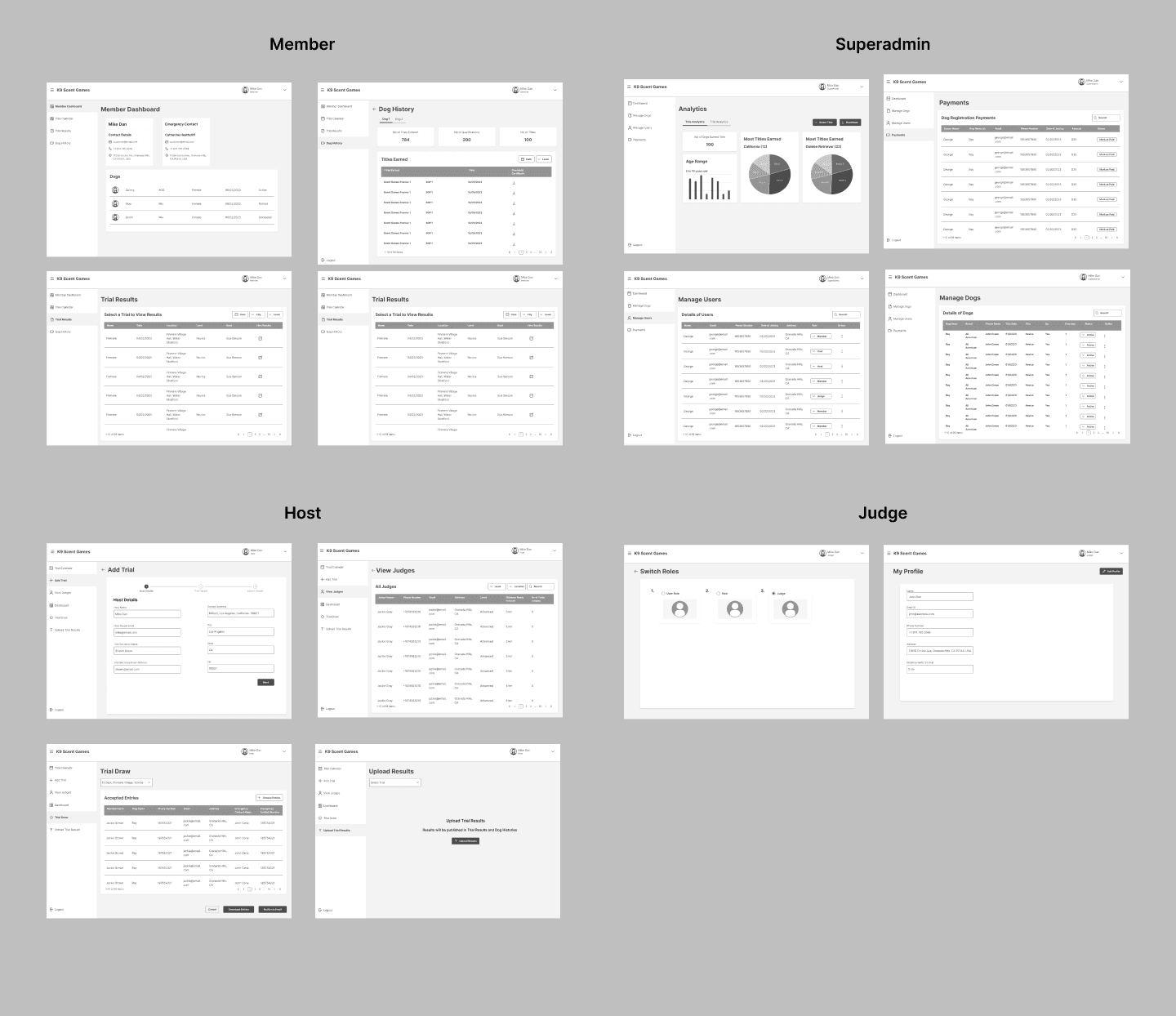
There were no portals for the host, super admin, and judge roles.
To get more design inspiration, I analyzed websites and apps of non-competitors such as HR portals to find simpler ways to manage user information.
User Persona
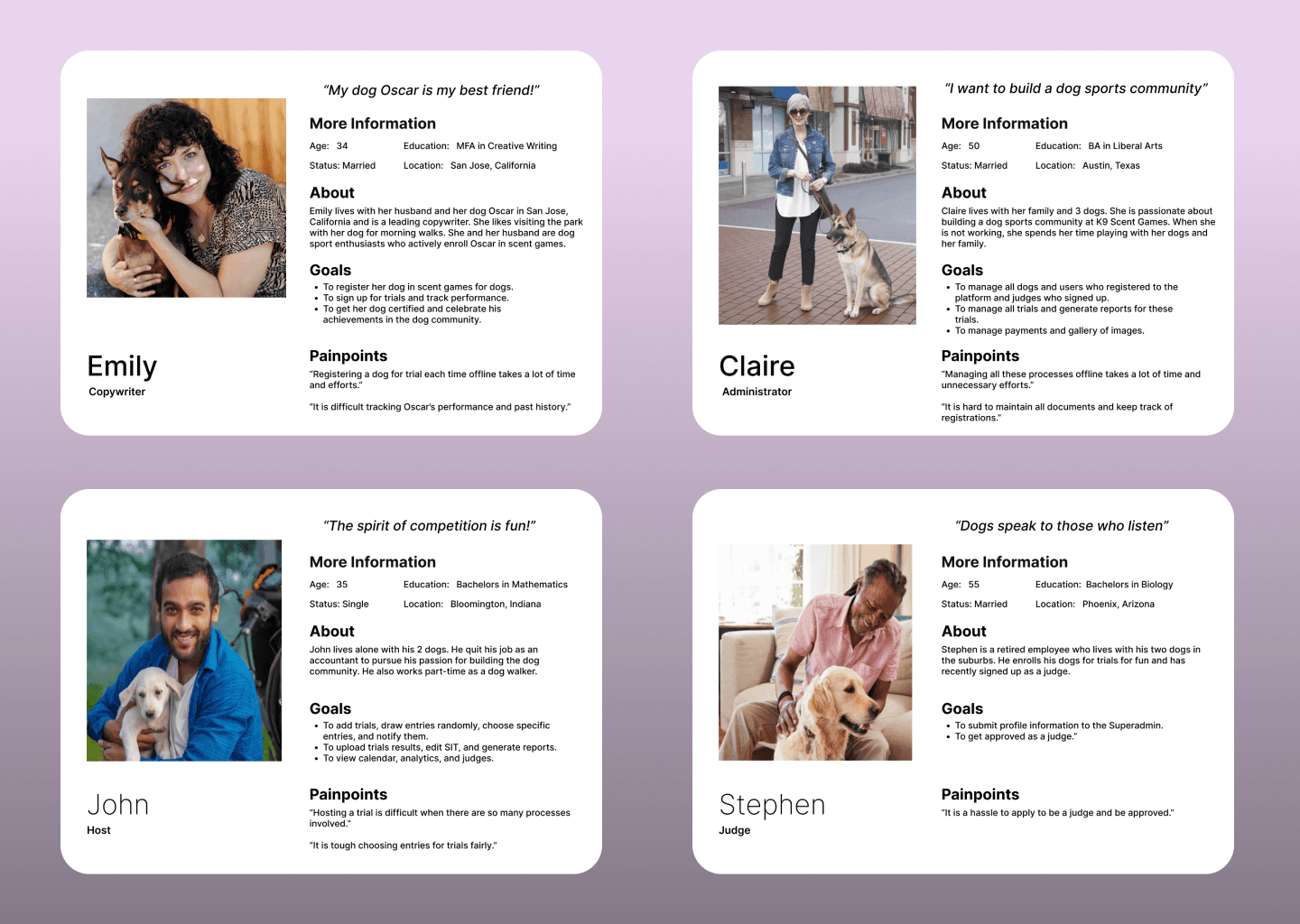
The work process and time constraints prevented us from conducting generative research. Instead, I gathered extensive information about our target users from stakeholders and the client's user research to draw up user personas.
User Flow (Member)
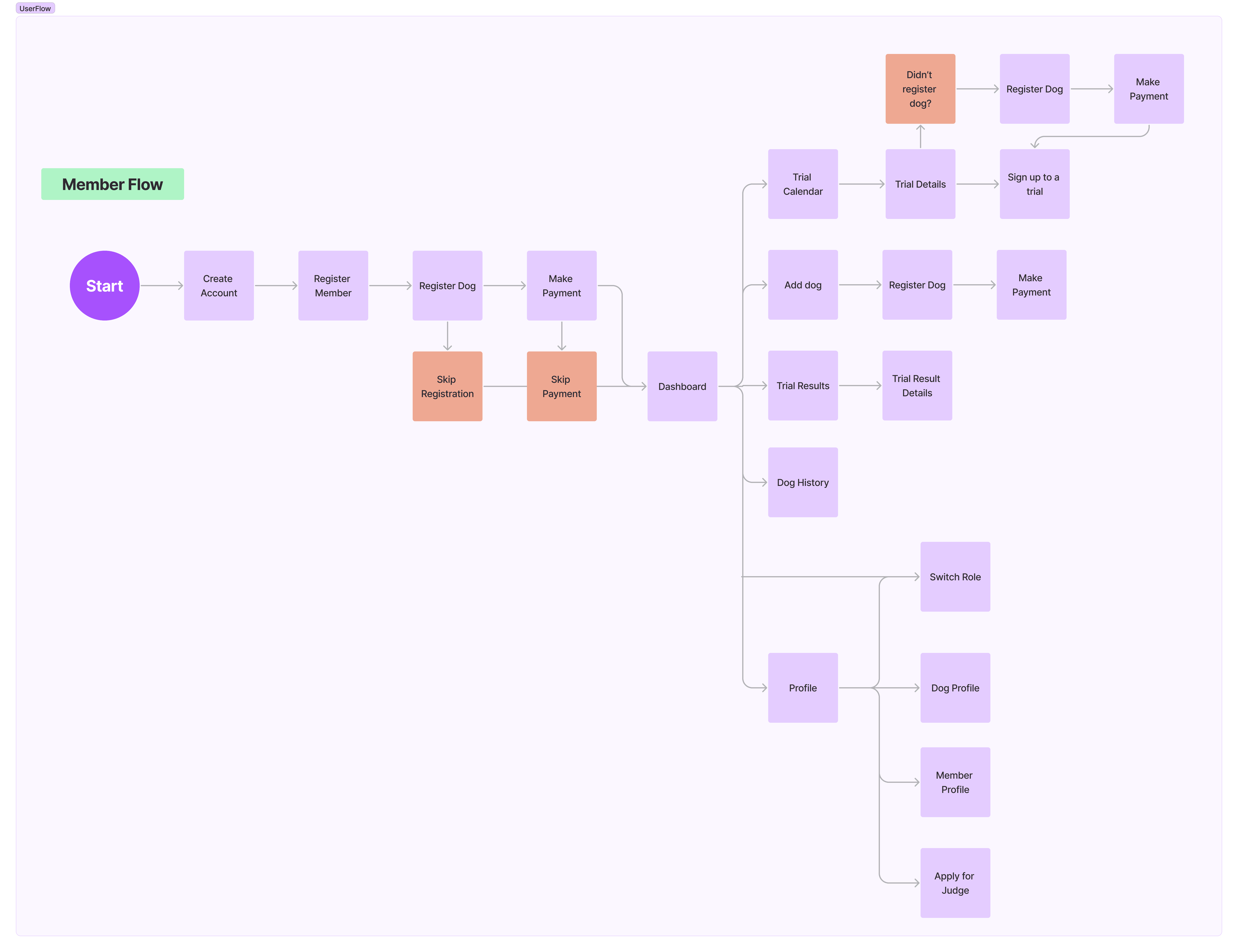
From the insights gathered through competitive analysis and research, I developed user flows for all roles and found ways to simplify the process, thereby reducing the steps required for users to reach their goals.
Low-Fidelity Wireframes
High-Fidelity Wireframes
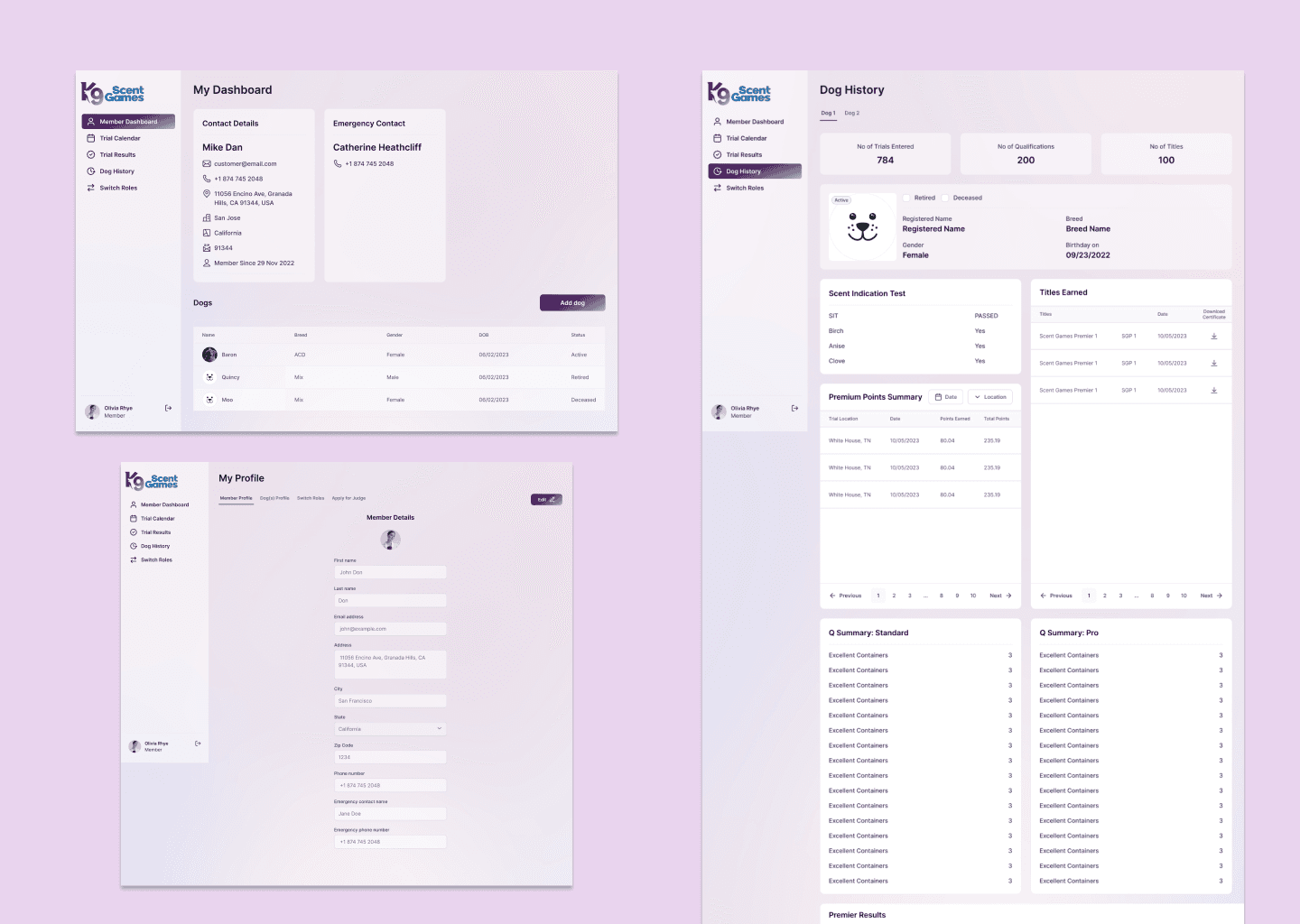
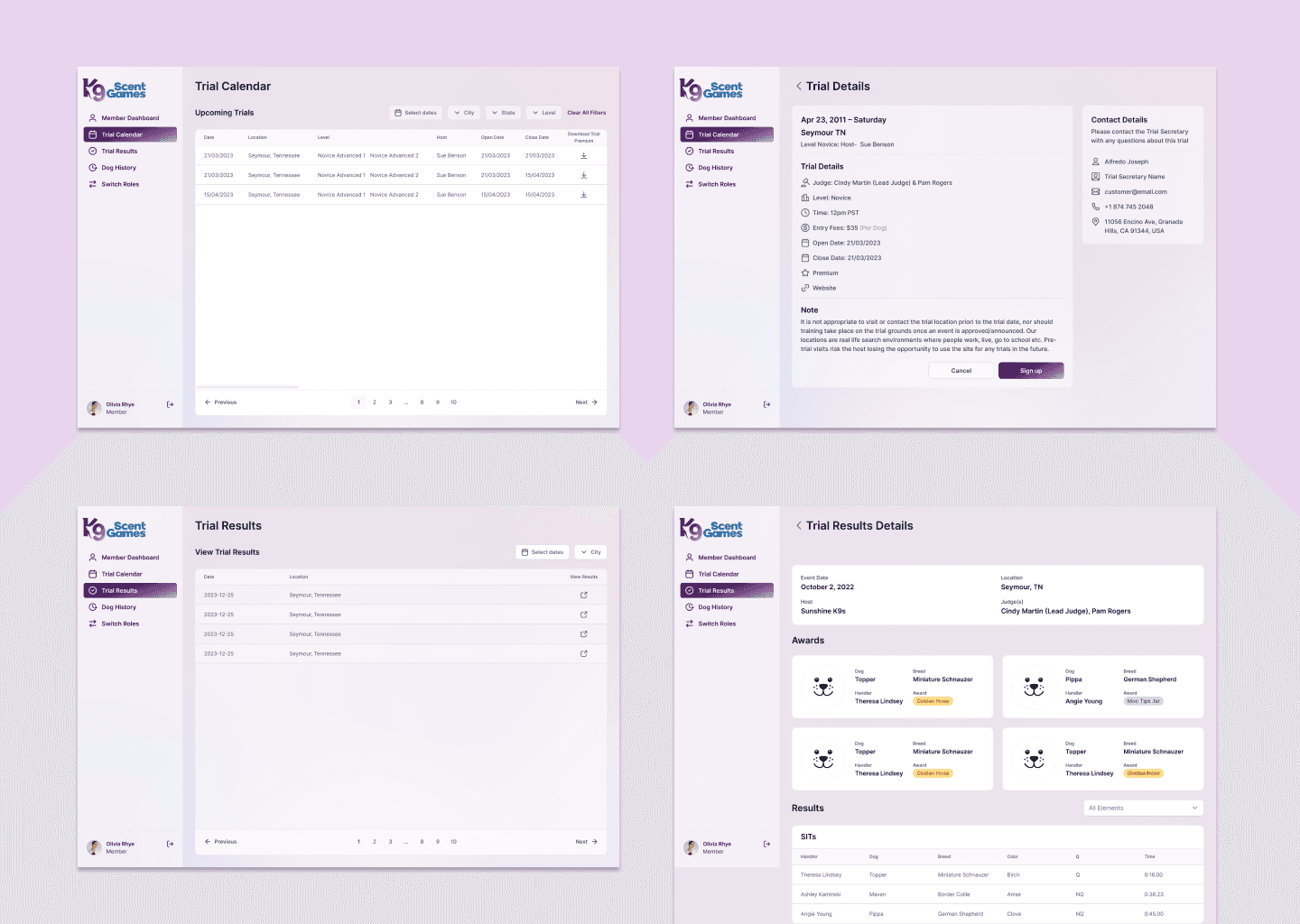
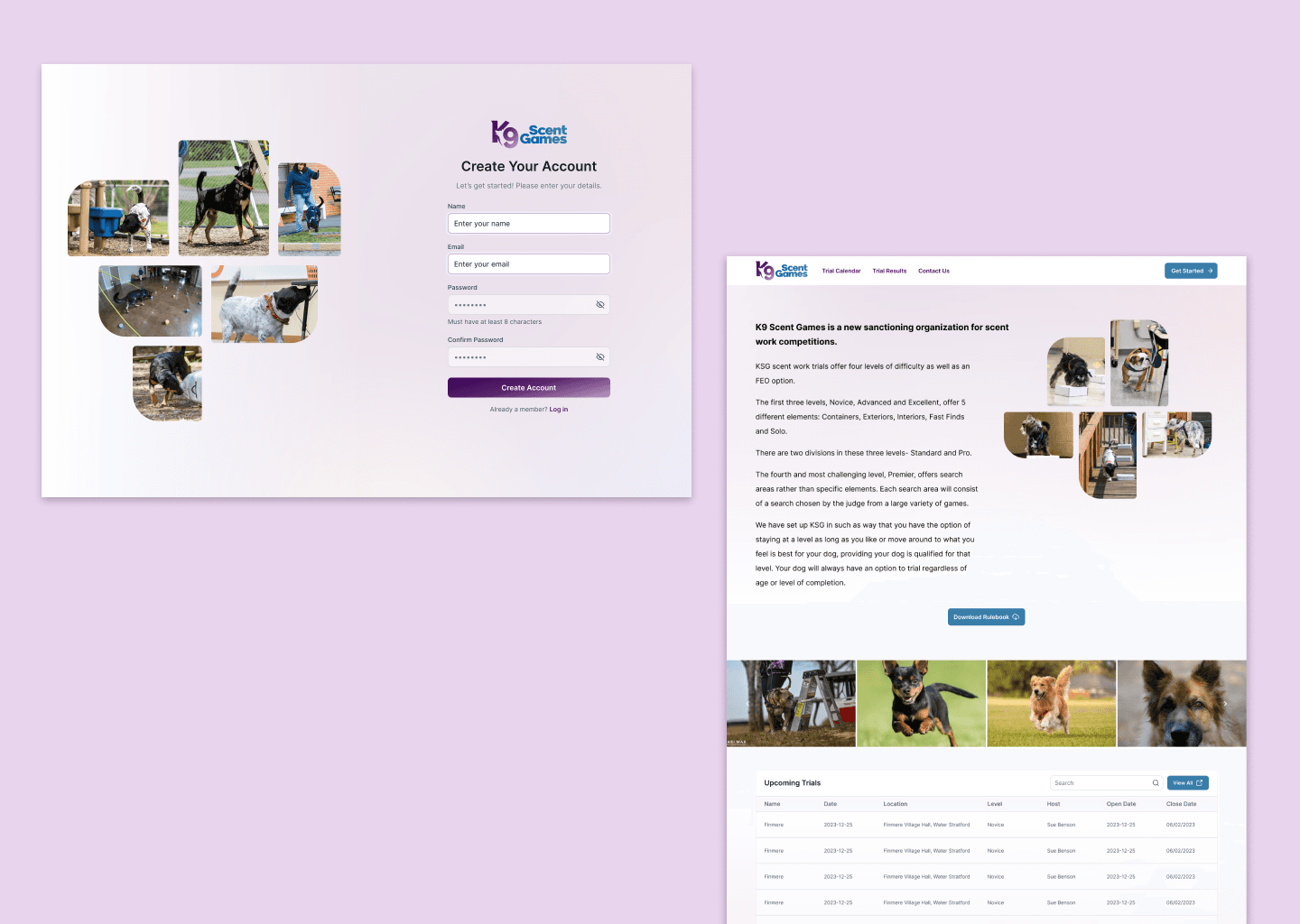
In my role, I was working closely with another user experience designer. Our joint mission was to take initial, low-fidelity wireframes and elevate them to high-fidelity designs This task required careful attention to detail and a deep understanding of the project's needs. We worked meticulously to ensure every aspect of our design aligned seamlessly with the client's specific branding requirements, thereby producing a product that was not only functional and user-friendly, but also visually cohesive and representative of the client's unique brand identity.
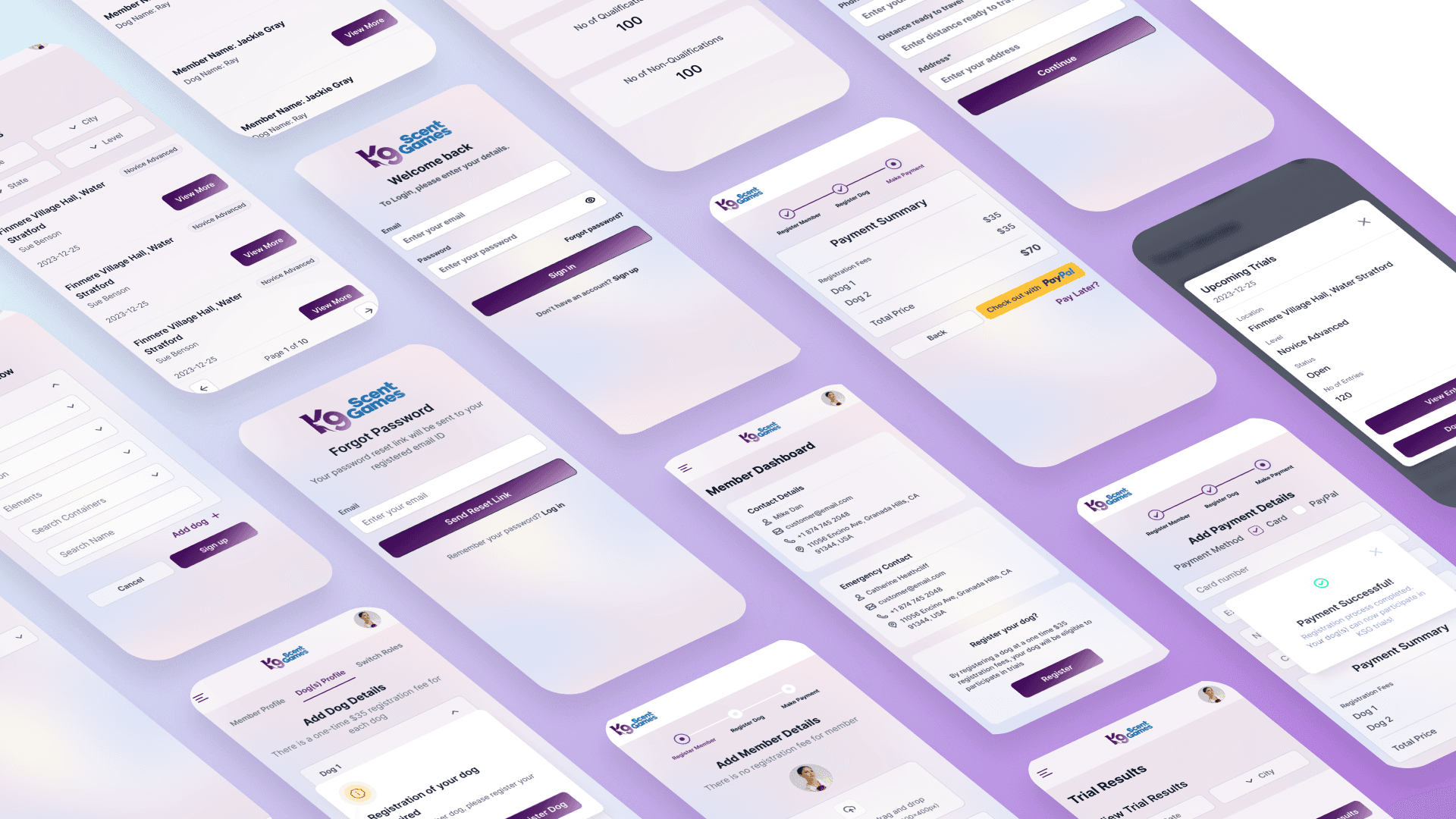
Mobile Responsive Designs
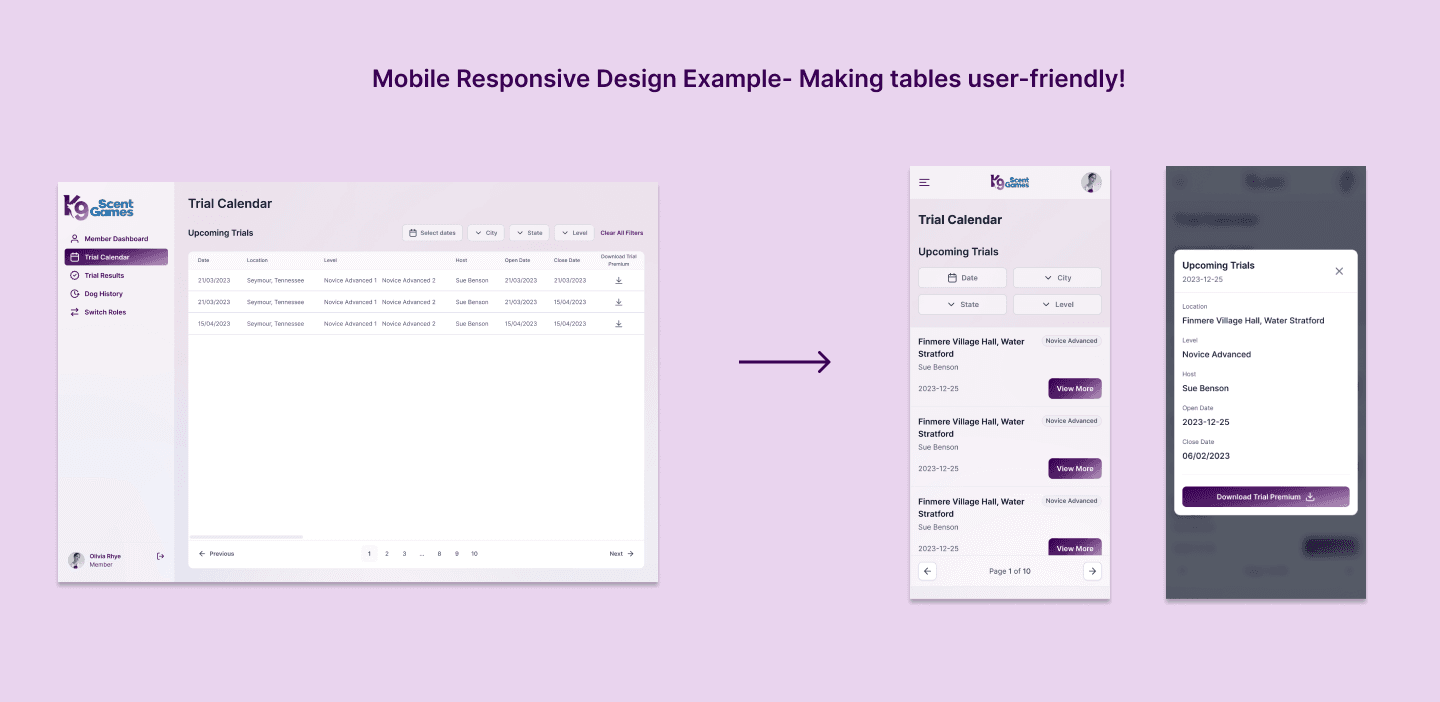
One of the most significant challenges that we faced with the development of the app was handling the various tables of data. It was crucial for us to ensure that these tables were not only functional, but also user-friendly on mobile devices. We understood the importance of a seamless mobile experience, and we strived to create tables that were easy to navigate, even on a smaller screen. This was a task that required a great deal of thought and planning, but ultimately, it was a challenge that we were able to successfully overcome.
Iterations
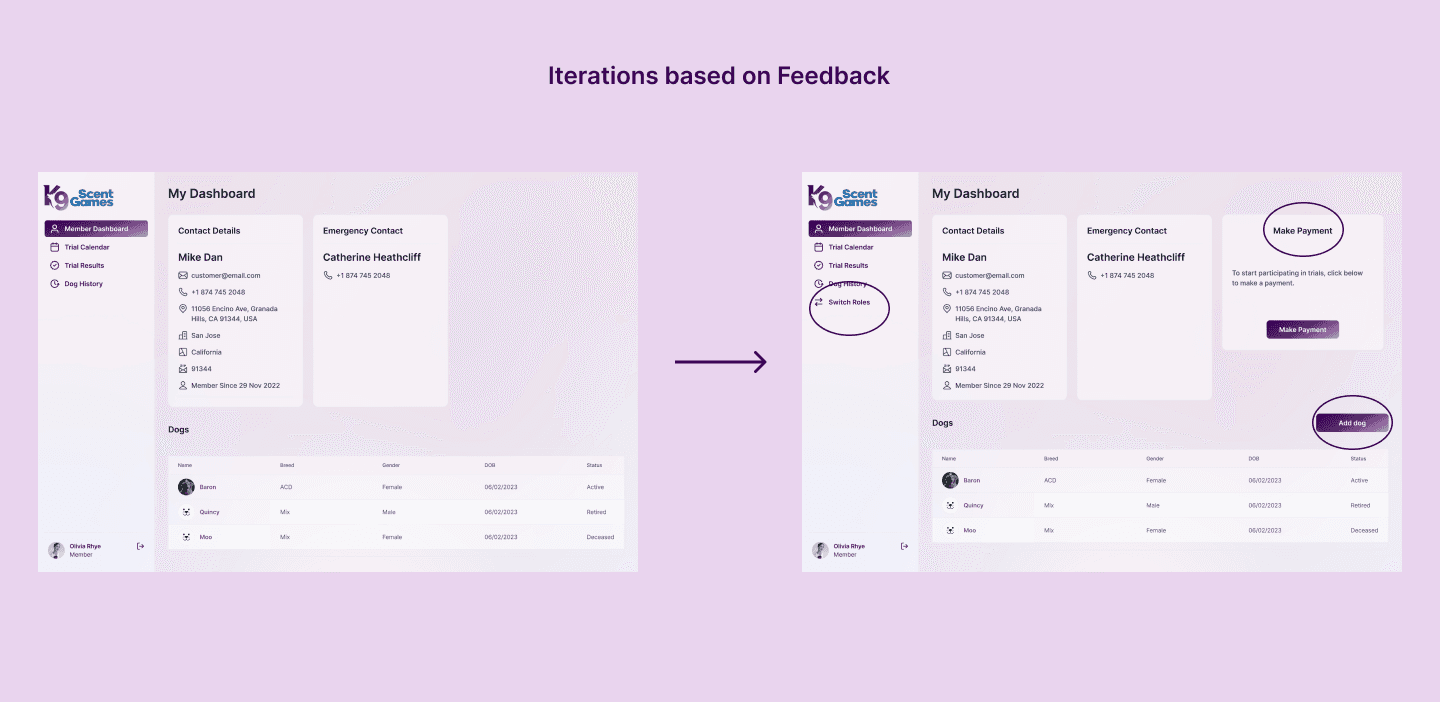
Usability testing and client feedback indicated that certain features needed to be more readily accessible.
Earlier users could switch roles only after opening tabs in the “My Profile” page. This caused them a lot of time to find this feature. Now users can access the switch roles feature from the sidebar itself.
To make registration process hassle-free, users are now allowed to skip dog registration or payments. The new dashboard reminds them to “Make Payment” or register their dog.
If users need to add more dogs after signing up, the new “Add dog” feature on the dashboard allows them to do so.
Key Takeaways
Iterations included simplifying various processes (as given in the example above) to make information more accessible, since users were not adept in technology.
Feedback rounds revealed some gaps in the user experience such as approval of judges by the super admin, switch roles, registration of multiple dogs, entry of multiple dogs, etc.
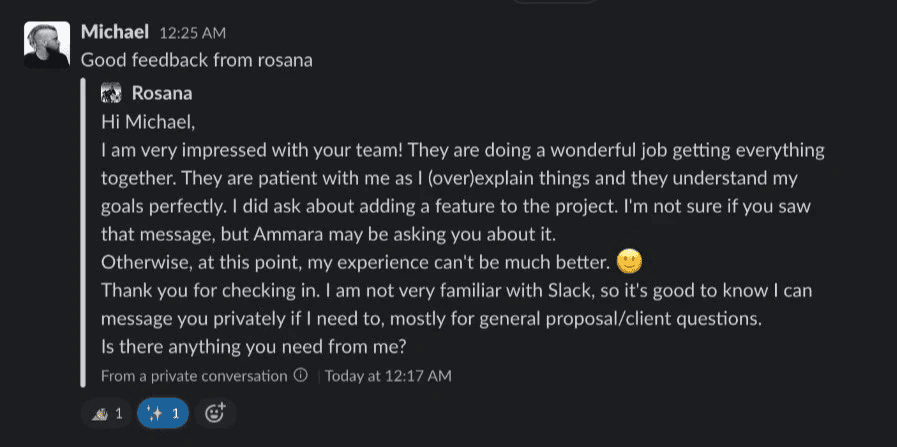
Feedback from our client!